
From incoming request to ready draft
Reqventa handles the preparation work between the customer's email and a finished quote or order. Here is the workflow, step by step.
All customer requests and orders in one place
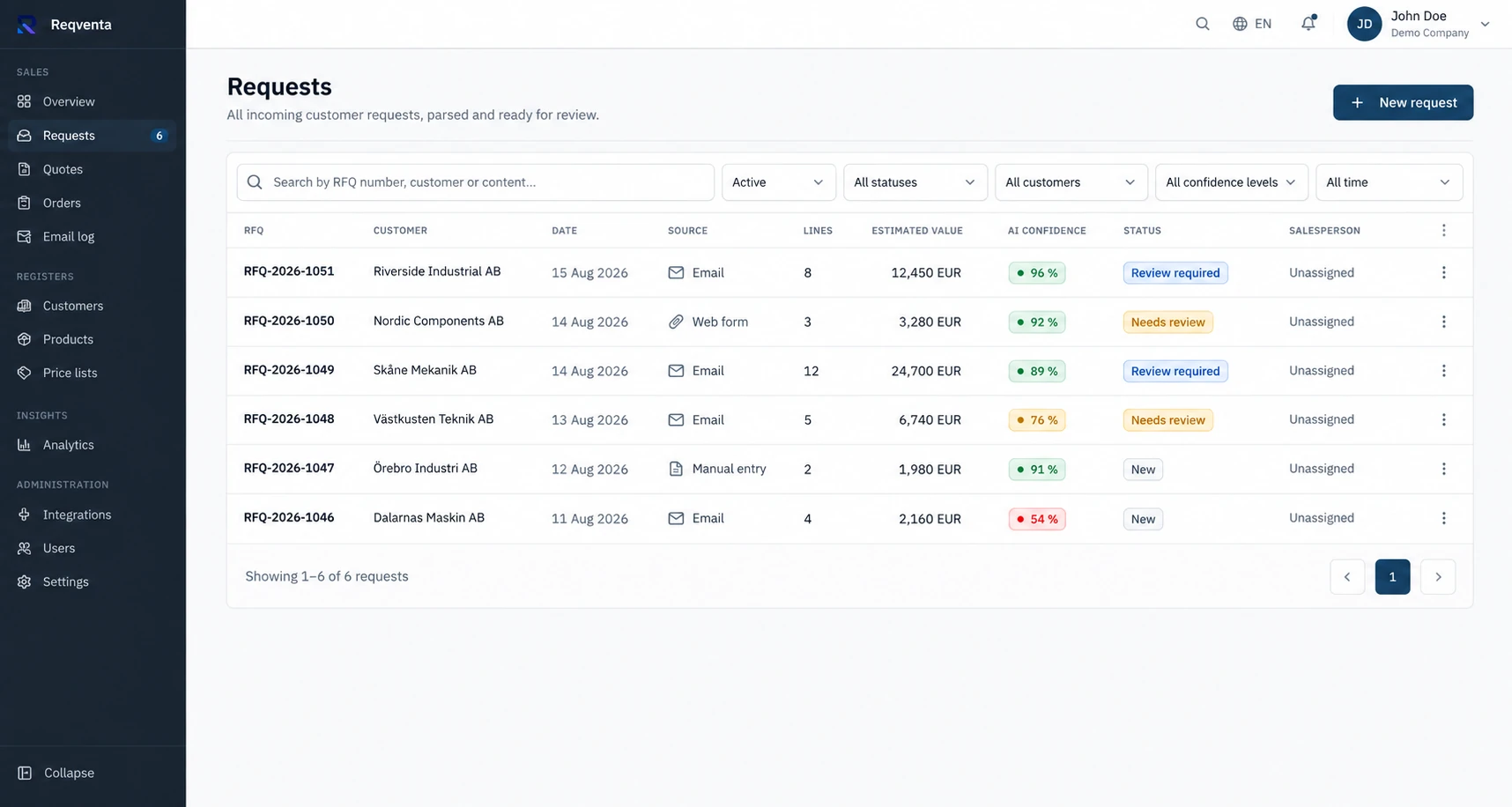
Connect your company inboxes in Microsoft 365 or Google Workspace. Incoming emails with requests and orders are picked up automatically, along with attached PDF and Excel files.
The right customer and the right products
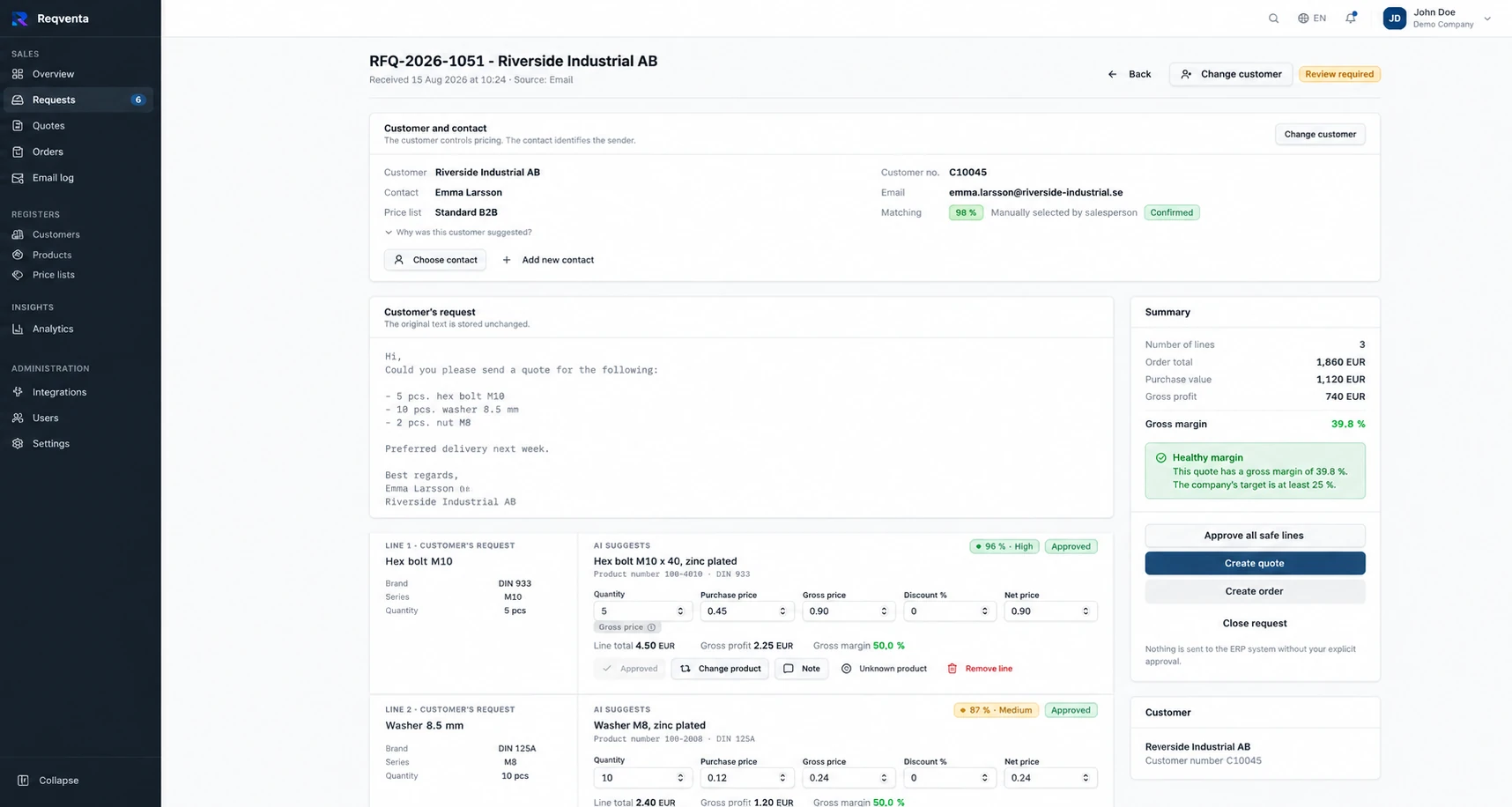
Reqventa uses AI to interpret the content and structure it into product lines. The customer is primarily identified by sender, customer number and registered domains. Each line is matched against your catalogue and shown with a confidence level and alternative matches.
Customer-specific prices and discounts
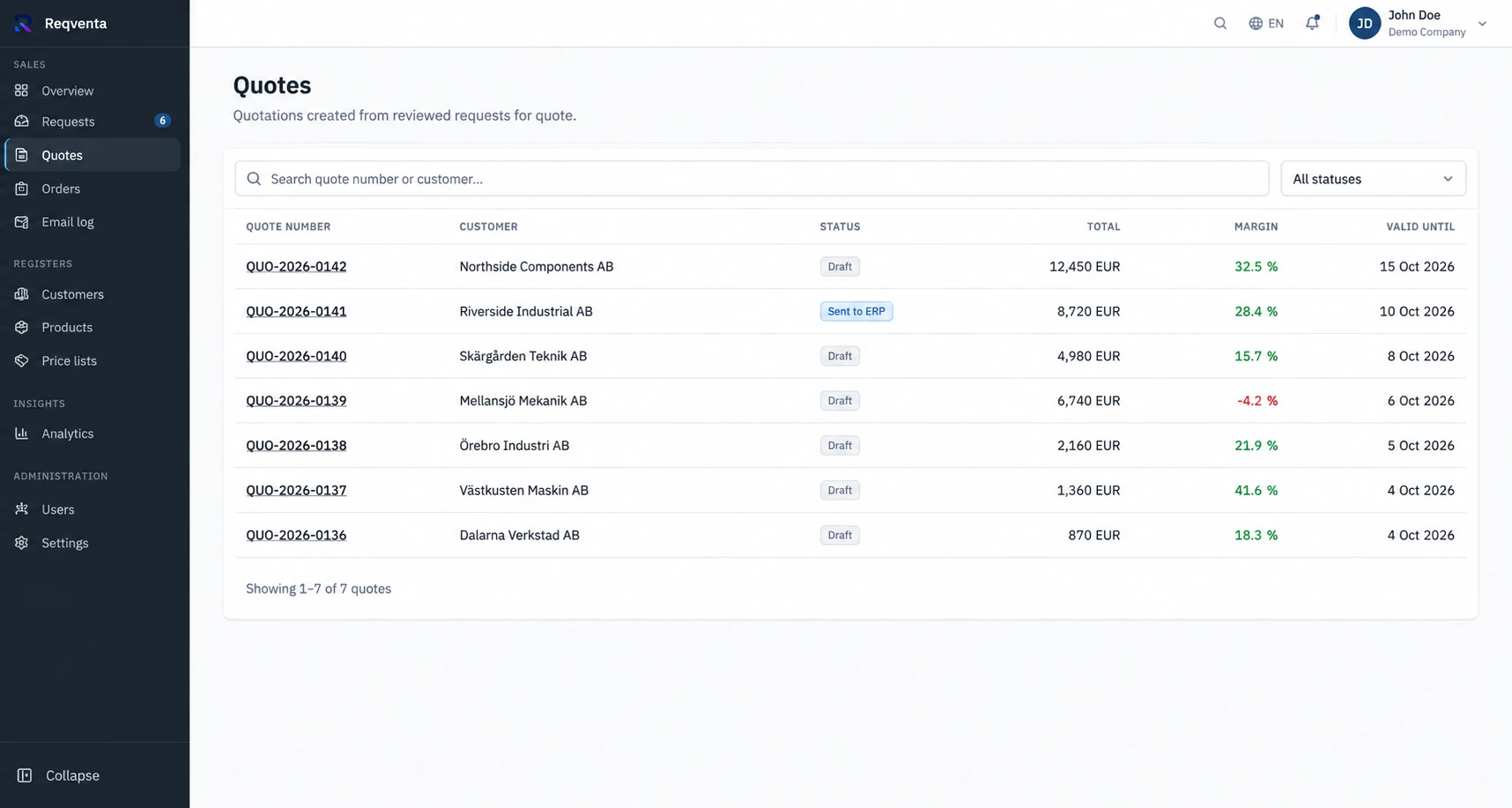
Prices come from your price lists, customer-specific net prices and discounts per brand or category. Margin is shown per line and the salesperson can always adjust before the quote is approved.
Orders ready for processing
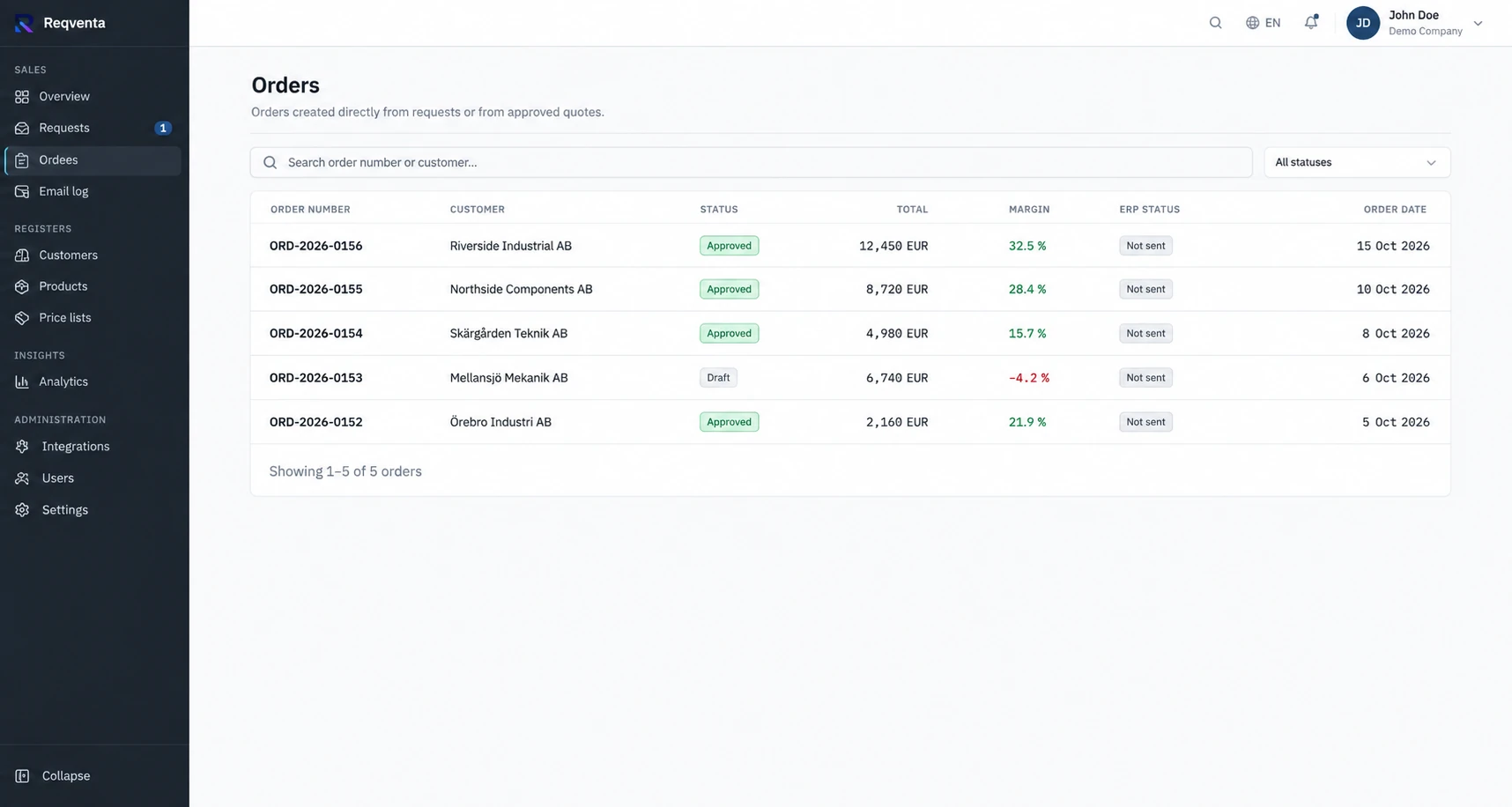
Direct customer orders and approved quotes are prepared as orders. Approved drafts can be exported or passed to your ERP system through an available integration.
Review, history and traceability
The salesperson reviews and approves every draft. Events in the quote and order flow are logged, as are price adjustments and match corrections. Corrections are used to improve future matches for the same customer.
Read more about how AI is used to process quote requests and how customer requests from email can be automated.