
From customer request to quote or order
Reqventa interprets incoming customer requests, identifies the customer and products, applies the right prices and prepares the quote or order. The salesperson reviews and approves.
How Reqventa works
Four steps from incoming email to a reviewed draft.
- 01
A request comes in
The customer's request or order arrives in a connected inbox, as PDF, Excel or free text.
- 02
Reqventa interprets and matches
The content is structured and linked to the right customer and the right products in your catalogue.
- 03
Prices and draft are prepared
Customer-specific prices and discounts are applied and a quote or order is prepared.
- 04
The salesperson reviews and approves
Nothing moves on without the salesperson's review. Then the draft can be passed to your ERP system.
One workflow instead of many manual steps
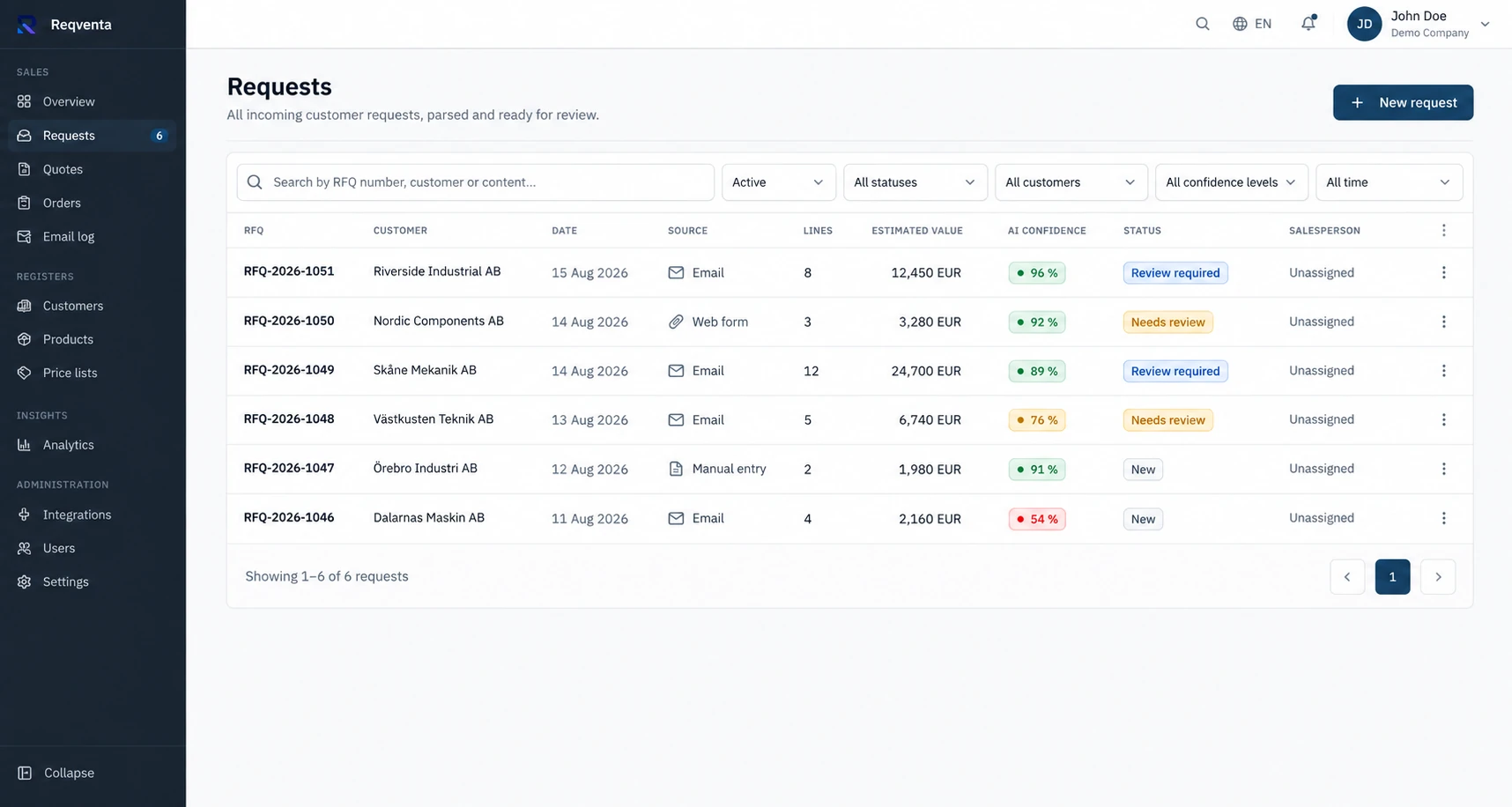
The request arrives by email. Reqventa identifies the customer, products and prices and gathers everything in one place.
- Customer and products are matched
- Customer-specific prices and discounts are applied
- The salesperson reviews before anything moves on
Works with the systems you already use
Reqventa doesn't replace your ERP system. It connects incoming customer requests with your existing order flow.
Reqventa prepares. You decide.
Reqventa interprets and prepares the draft, but the user stays in control before a quote or order moves on.
Confidence levels
Every customer and product match is shown with a confidence level, so it's clear what needs checking.
Human approval
The salesperson reviews, adjusts and approves. Nothing is sent or passed on automatically without approval.
Data isolation between organisations
Data is separated per organisation and access is restricted with Row Level Security in the database.
Frequently asked questions
Does Reqventa replace our ERP system?+
No. Reqventa is built to work alongside your existing ERP and handles the step before the quote or order is registered: interpretation, matching, pricing and review.
Can Reqventa read customer requests from email?+
Yes. Reqventa can be connected to both Microsoft 365 (Outlook/Exchange) and Google Workspace (Gmail). Incoming customer requests from connected inboxes can be picked up automatically, structured and made ready for the salesperson's review in Reqventa. Several inboxes can be connected depending on your plan.
How are customer-specific prices and discounts handled?+
Reqventa uses pricing information that has been imported or integrated: price lists, customer-specific net prices, discounts per brand or category, and quantity tiers. The system always shows which rule produced the price.
Which systems can Reqventa connect to?+
Email connections to Microsoft 365 and Google Workspace and an integration with Microsoft Dynamics 365 Business Central are available today. Products, customers and price lists can also be imported via CSV. See all integrations on the integrations page.
How is our data handled?+
Data is separated per organisation and access is restricted with Row Level Security in the database. Read more in the security section below.
See Reqventa with your own workflow
See how Reqventa handles real customer requests, matches your products and prices, and prepares quotes and orders using your existing systems.